

Configuration
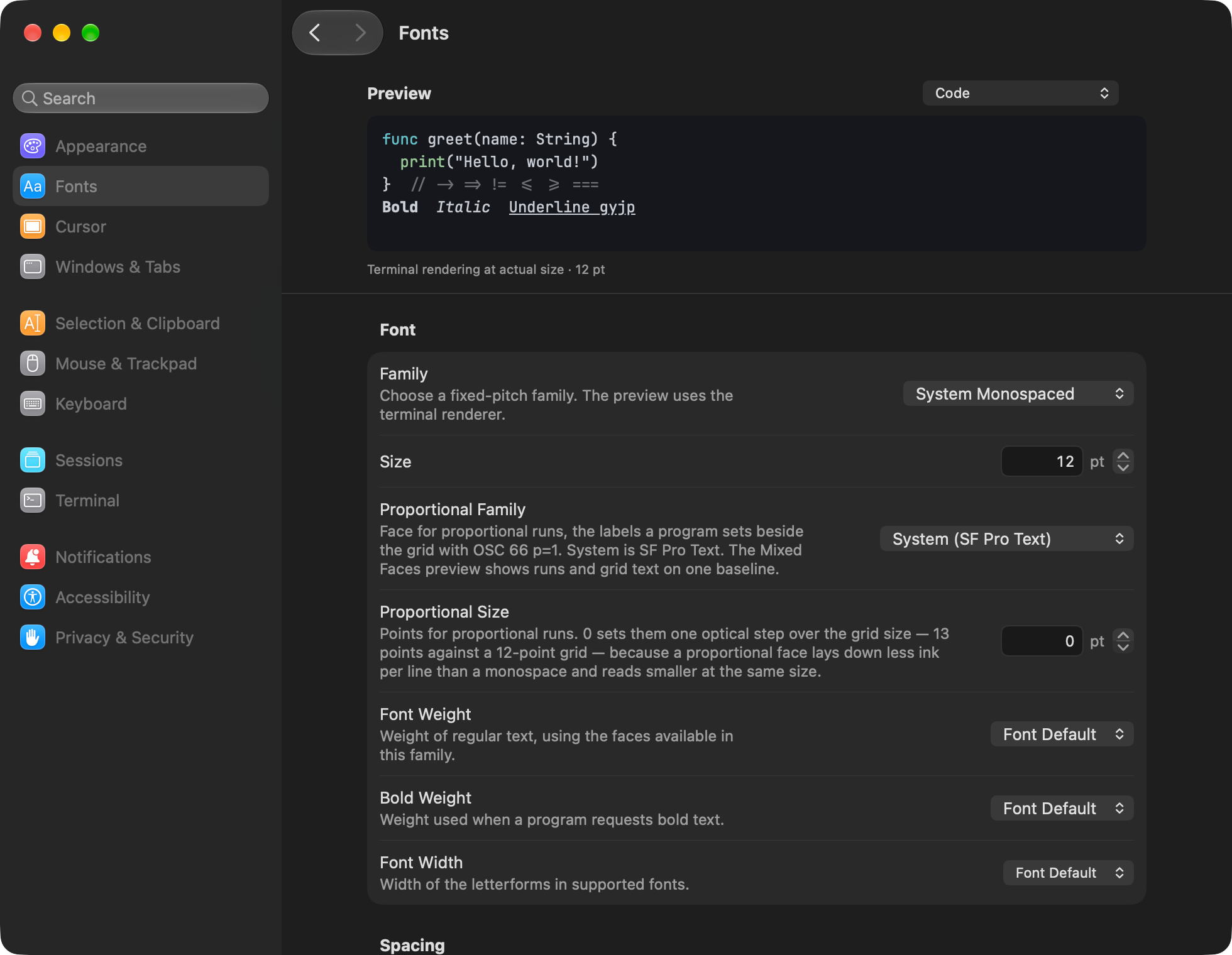
Everything is in one file, ~/.config/ubiquitty/config.toml. On first run the app writes it with every key commented out at its default, so the file is its own reference. The Settings window writes to the same file, a key at a time, so hand edits and the window do not overwrite each other. The configuration reference is generated from that default file.
[font]family = "JetBrains Mono"size = 13features = "calt liga ss01"
[appearance]follow_system = truesystem_dark_theme = "Noir"system_light_theme = "Noir Clair"
[security]clipboard_read = "prompt"
Applying changes
Section titled “Applying changes”On macOS the app watches the file and applies a saved change to every open window; no restart. Core parses the file for every client: a frontend hands Core the bytes, and Core owns what they mean. In strict mode a misspelt key is refused with a diagnostic that names it.
The Linux frontend reads the same format. The web client reads a config.toml served beside the page. Live reload described here is the macOS app’s file-watcher behavior.
The Settings window
Section titled “The Settings window”Twelve categories with search: Appearance, Fonts, Cursor, Windows and Tabs, Selection and Clipboard, Mouse and Trackpad, Keyboard, Sessions, Terminal, Notifications, Accessibility, and Privacy and Security.
Themes
Section titled “Themes”35 built-in themes, including the house pair Noir and Noir Clair. With follow_system, the app switches between a dark and a light theme as the system does. Add your own as [[themes]] blocks, or import one.
[keys] binds chords and leader sequences ("ctrl+a ctrl+x") to actions, to bytes (send:), to macros (macro:) or to any command (command:). [mac.keys] and [linux.keys] override bindings per platform. option_as_alt chooses which Option keys act as Alt on macOS, and compose_key turns a key into a compose trigger.
The command palette
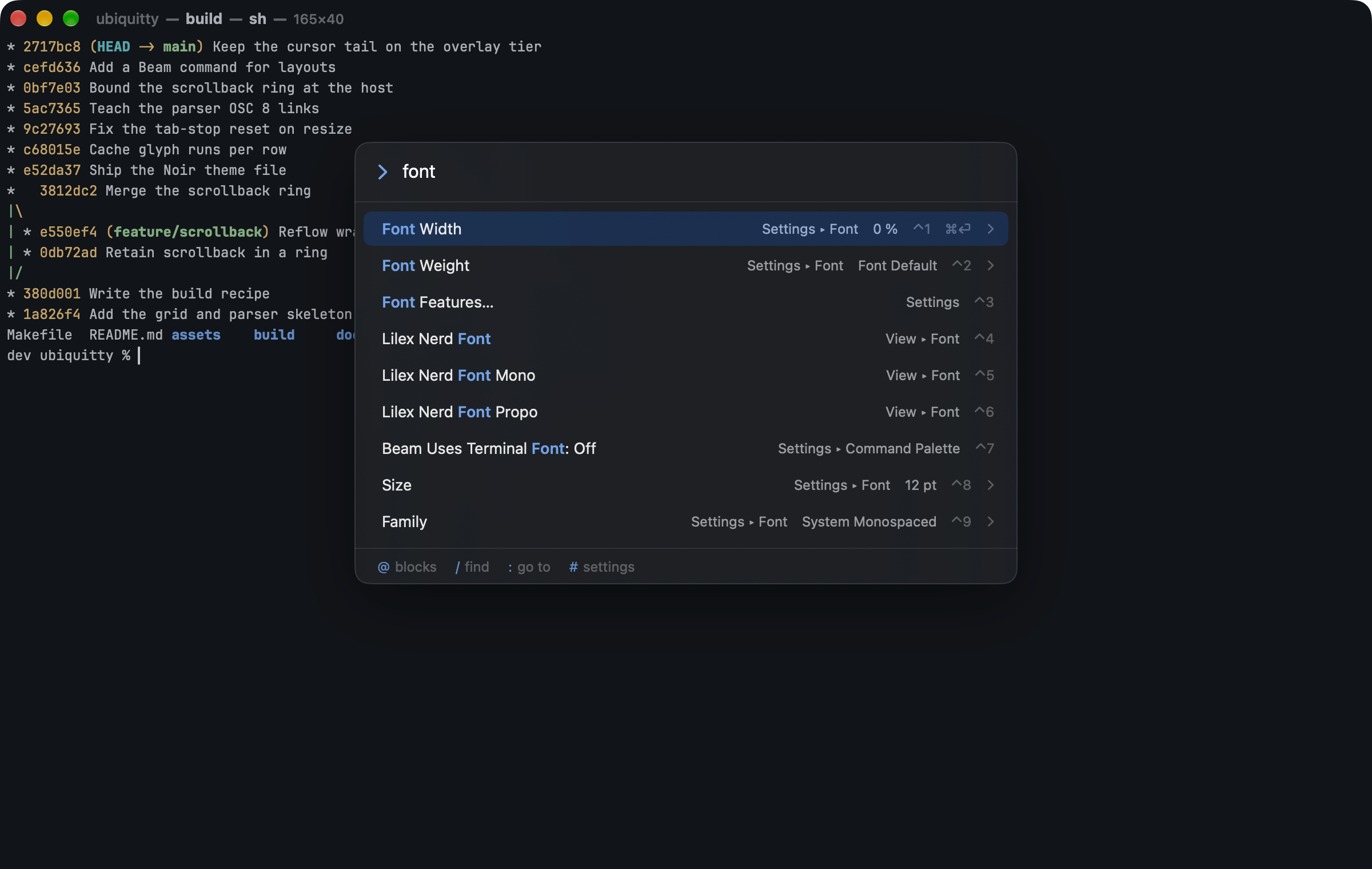
Section titled “The command palette”Beam (⌘⇧P) lists every command and every setting, ranked as you type. Prefixes scope it: @ jumps to a command block, / searches scrollback, : goes to a tab or pane, # searches settings. Toggles flip in place, and choices and numbers open a list or a stepper.
Profiles, tags, triggers and macros
Section titled “Profiles, tags, triggers and macros”- Profiles (
[[profiles]]) bundle a theme, font, spacing and a startup host, inherit from one another, and open from File › New Window with Profile. - Window tags (
[[tags]]) colour a window’s title by its host or profile, for example red for production. They apply to windows, not individual tabs or panes. - Triggers (
[triggers]) match each completed line against a regular expression and notify, copy, set the title or highlight. Running a command or calling a webhook from a trigger is off unless you turn it on, because terminal output can be written by anyone who can print to it. - Macros (
[macros]) are named text snippets in the menu, bindable to keys. Define their text in the configuration file.
Ubiquitty and this site are copyright © 2026 Stanislav Yaglo. Ubiquitty is licensed under the Apache License 2.0.
Apple, iPad, iPadOS, iPhone, Keychain, Mac, macOS, Metal, Swift and Xcode are trademarks of Apple Inc., registered in the U.S. and other countries and regions.