

Multiplexer and sessions
In Ubiquitty the terminal’s core is the multiplexer. ubiquitty-host runs that core as a daemon: it owns the shells, screens, scrollback and layout of windows, tabs and panes. A client renders what the host sends and sends back what you type. Detach every client and the host keeps going.
The model
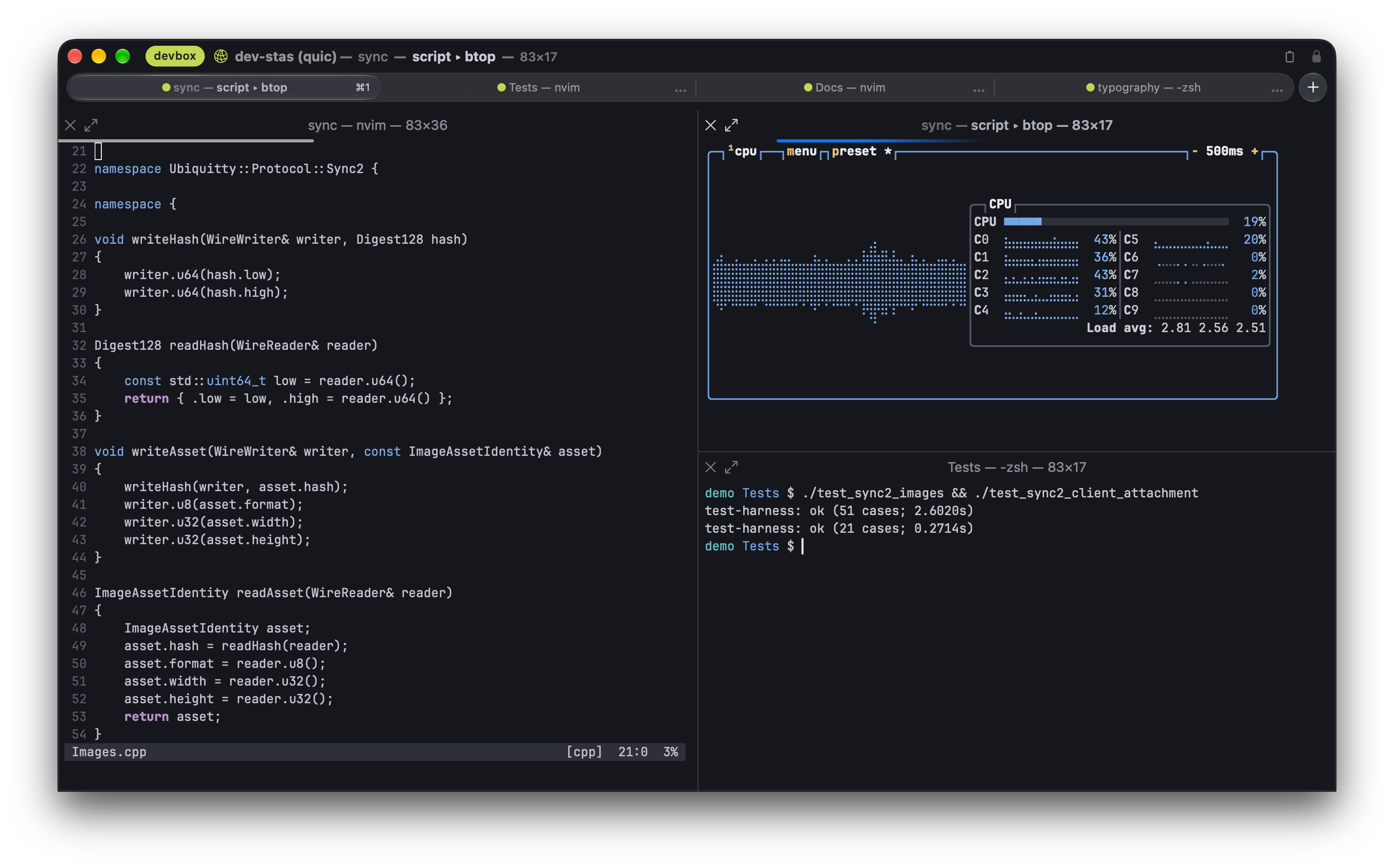
Section titled “The model”A workspace holds windows, a window holds tabs, and a tab holds a tree of panes; each pane is a shell with its own screen. The host owns this tree; a client can show a workspace or attach to an individual pane. Clients send intents (split this pane, move this tab) and the host decides. Ids are never reused while a host runs. A tab holds up to 64 panes, a window up to 32 tabs, a workspace up to 16 windows.
Workspace operations include add, close, split, move, extract, swap, zoom, balance, rename and label. Moving a pane or a tab to another window keeps its session; nothing restarts. Agent tree edits require person consent for each exact operation, independently of standing attach grants.
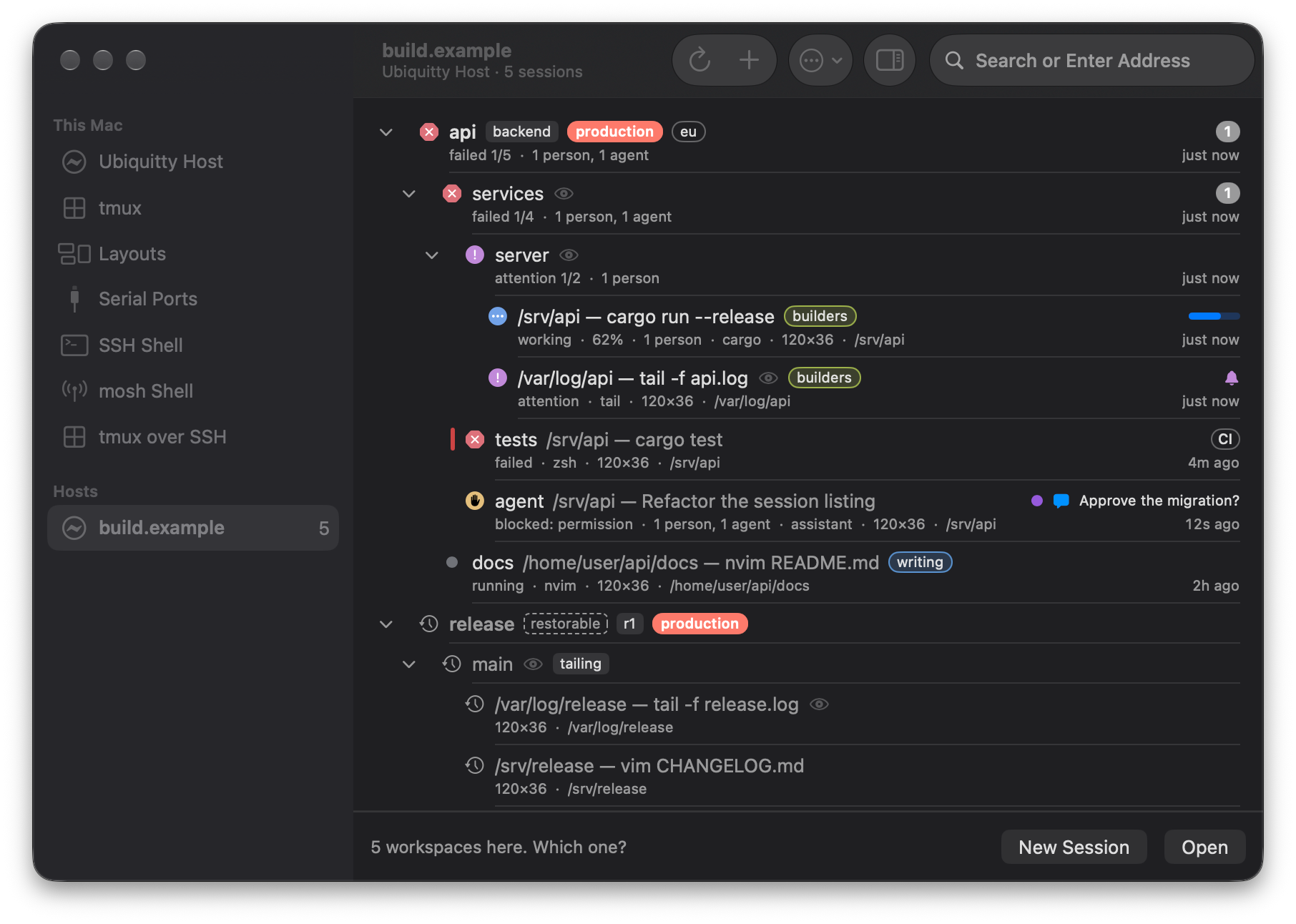
Open Connect to browse a host’s workspaces, tabs and panes. See what is running, which tasks need attention and where people or agents are attached before choosing where to work.
Sessions outlive clients
Section titled “Sessions outlive clients”- Detach and reattach. Closing a remote macOS window asks what to do. Close Window on [connection] closes that window and its sessions on the host. Detach from [workspace] disconnects every local window for that workspace and leaves its sessions running. Cancel changes nothing. The same actions are under Window › Workspaces, including for workspaces that are not focused.
- Named sessions. Attaching by name reattaches to the session with that name, or creates it. Windows, tabs, panes and sessions can all carry labels, and
ubqaddresses them by label. - No mistaken reattach. A client that asks for a session by id also names the host instance it last saw. If the host has restarted, the request is refused instead of attaching an unrelated shell that happens to have the same number.
- Layout after a host restart. The host records each named workspace’s windows, tabs, splits, working directories and sizes. After a restart the arrangement returns with new shells in the recorded directories. Running processes do not survive a host restart.
A pane opened on a host takes its session’s theme, and a window attached to a host paints that theme’s background before the first screen arrives, so a new tab does not flash another colour.
The host starts when a client first needs it and exits when its last session’s shell exits. It installs no system service.
Share a running window
Section titled “Share a running window”File › Share This Window with Agents hands the shell running in a macOS window to the local host, and the window becomes a client of it. The process does not restart. An agent can then attach, with your consent. Stop Sharing takes the shell back into an ordinary local window, still running.
Restore the last session
Section titled “Restore the last session”With Restore Last Session on Launch on, quitting the app hands each window’s shell to the local host, and the next launch reattaches them. The visible screen survives; scrollback from before the handoff does not, and split panes come back with fresh shells. Off by default.
Keeping the host current
Section titled “Keeping the host current”When a client connects to a host older than itself, the connection is refused with the reason, and the macOS app offers Update. It uploads the matching bundled host, checks its SHA-256 and that it runs, keeps the previous binary as a backup, and then either waits for the running sessions to end or replaces the host now, which ends them. A failed update changes nothing on the host.
Read the update prompt before replacing a running host: Update Now ends its sessions. Detaching a client is not a host update.
Managing a host
Section titled “Managing a host”The macOS app’s host management window lists a host’s sessions, its connected clients, the permissions it has granted and the tokens it has issued, and can end, disconnect or revoke each. It also shows a link and QR code that let another device find a session; the other device signs in with its own SSH credentials.
Existing multiplexer sessions
Section titled “Existing multiplexer sessions”A tmux control-mode session (-CC) opens as native windows, tabs and splits; reattaching recovers each pane’s screen. tmux stays in charge of that layout.
Ubiquitty and this site are copyright © 2026 Stanislav Yaglo. Ubiquitty is licensed under the Apache License 2.0.
Apple, iPad, iPadOS, iPhone, Keychain, Mac, macOS, Metal, Swift and Xcode are trademarks of Apple Inc., registered in the U.S. and other countries and regions.