

Typography
Text is shaped and rasterised by the platform’s own text stack: CoreText on macOS and iOS, FreeType and HarfBuzz on Linux. Core decides which font each character comes from and how many cells it occupies, so a session reads the same on every client.
The examples below use the Noir theme.
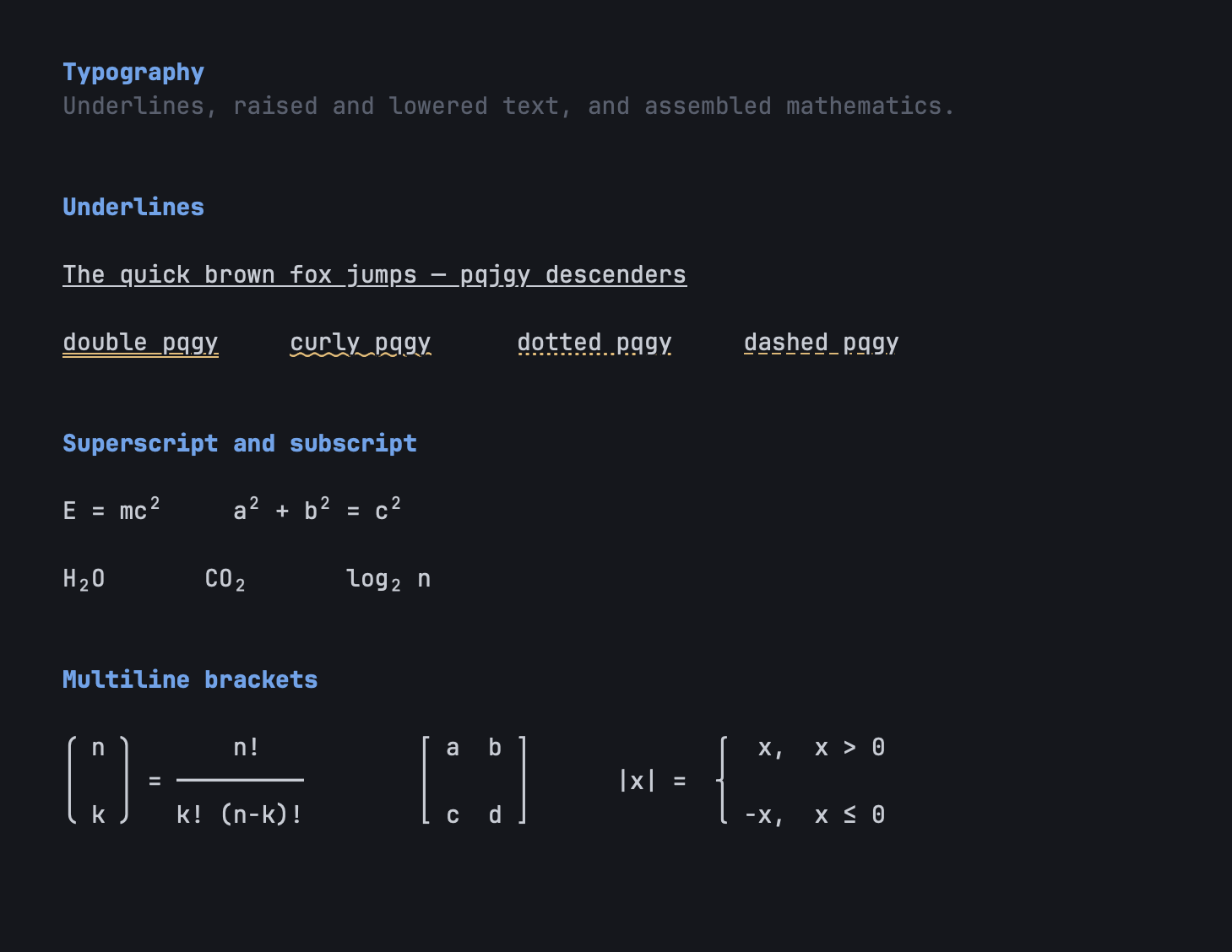
The default face is SF Mono where it is installed; otherwise it is the bundled JetBrains Mono, with variable weight in upright and italic. The app also bundles Monaspace Neon, Symbols Nerd Font Mono for icons, and GNU Unifont, which is compiled into Core so that every client has a last-resort face. Linux bundles Noto Sans for proportional runs and Noto Color Emoji.
Fallback routing picks a face per character, in order: your per-range overrides ([[font.range_map]]), per-language fallbacks for Han, kana and Hangul ([[font.language_fallbacks]], cjk_fallback), the symbol face, emoji, script fallbacks, and then the system’s own cascade. The routing policy lives in Core; CoreText and fontconfig resolve the families.
Ligatures and OpenType features
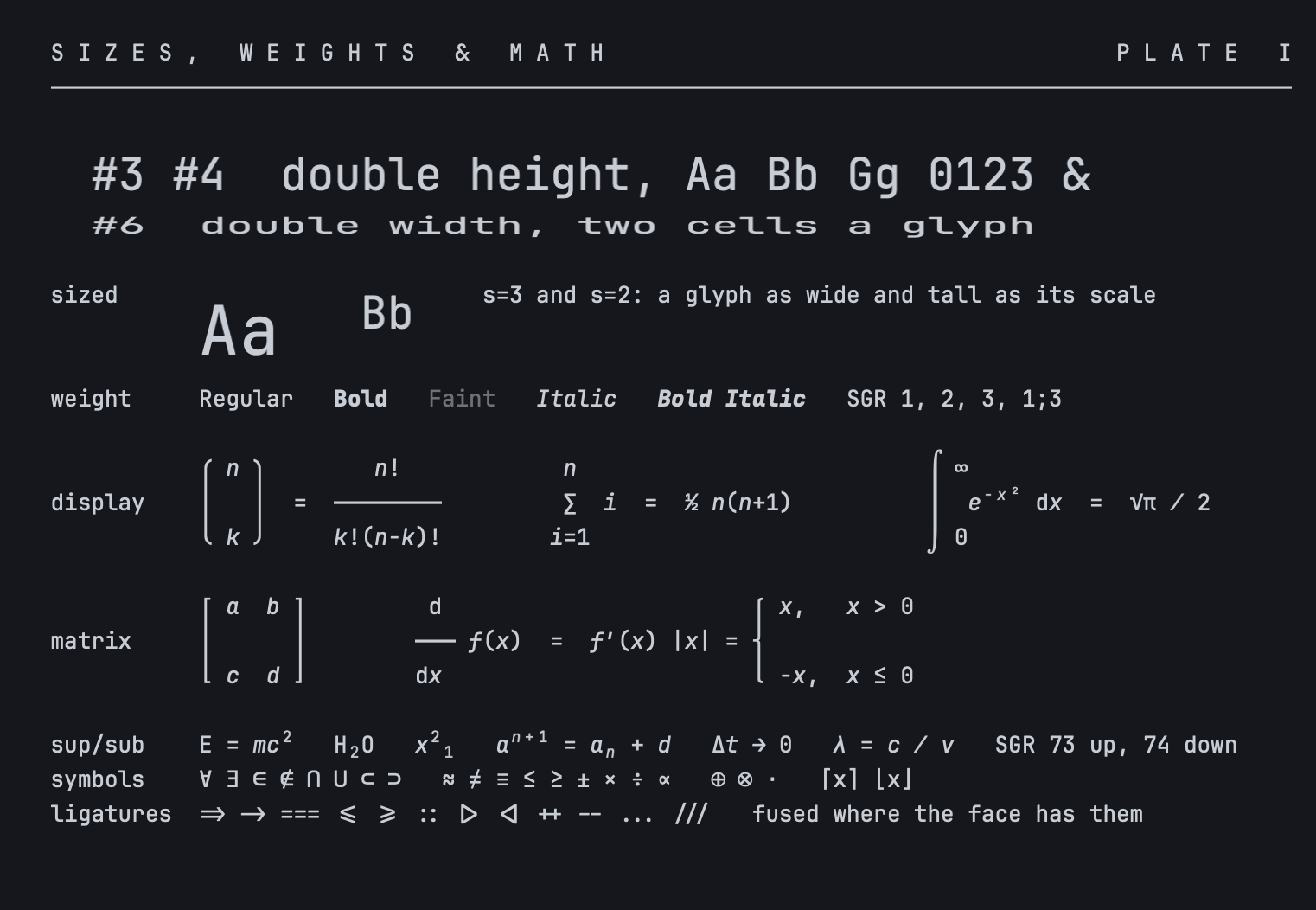
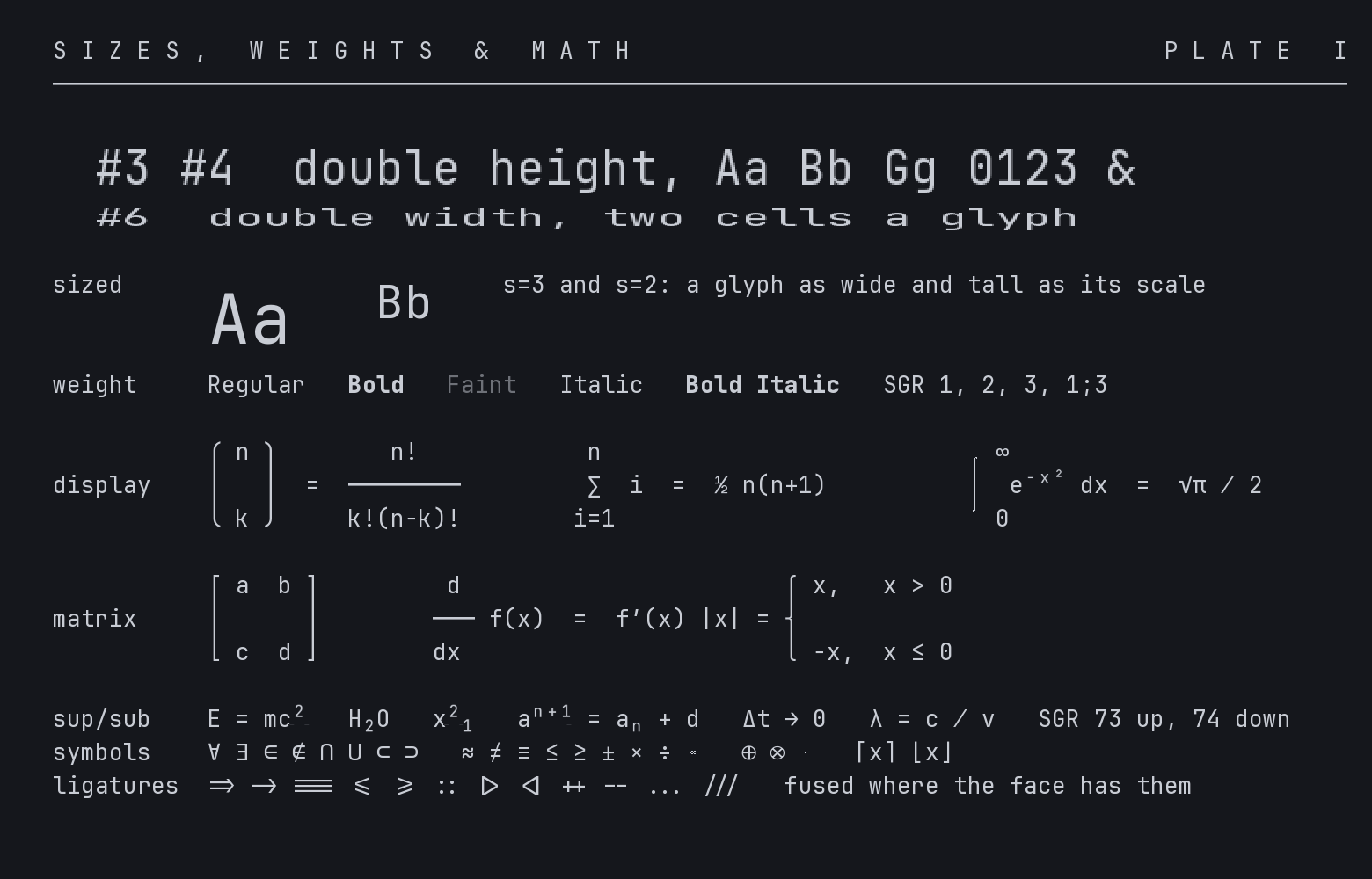
Section titled “Ligatures and OpenType features”Programming ligatures (calt) are on by default. font.features allows or blocks individual OpenType features, including stylistic sets ss01 to ss20 and the slashed zero. Ligature runs are shaped once and cached. On Linux the same features go through HarfBuzz.
Weight and width
Section titled “Weight and width”Faces with variable axes take font.weight, font.bold_weight, font.width and arbitrary axes through font.variations. A program can choose a weight per run with CSI 1 : n m (n from 0 to 7, an Ubiquitty extension); plain CSI 1 m stays exactly bold.
Proportional and sized text
Section titled “Proportional and sized text”A program can print a run in a proportional face, or at two to five times the cell size, with OSC 66. Each run declares how many cells it occupies, and Core holds that footprint, so the run lands in the same cells on every client and on replay. Alignment inside the footprint can be left, right, centred or justified.
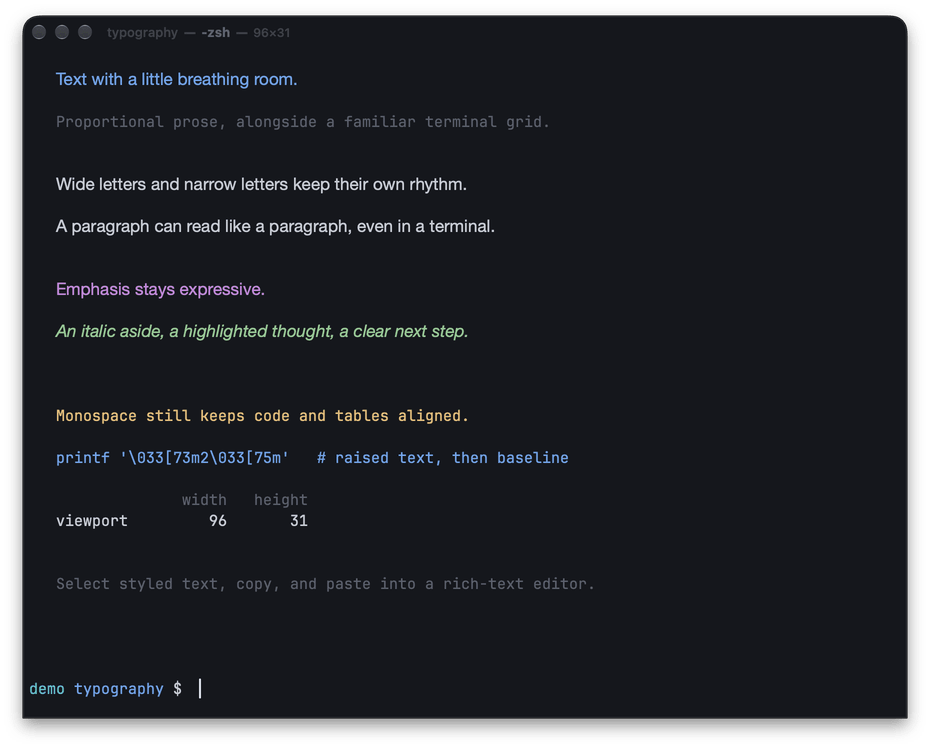
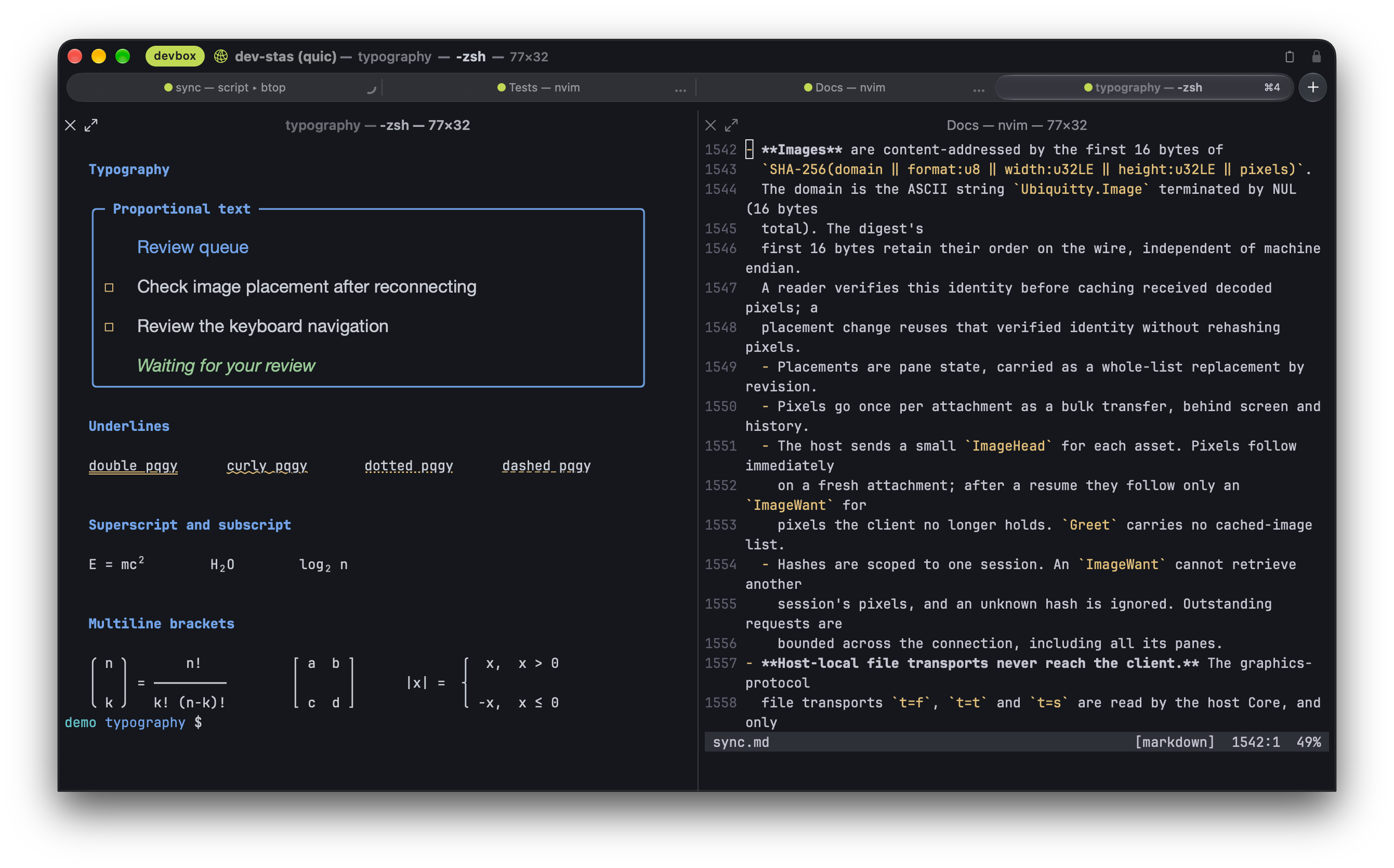
DEC double-width and double-height lines (DECDWL, DECDHL) are supported on every client; the Welcome screen’s title is one.
Underlines and decorations
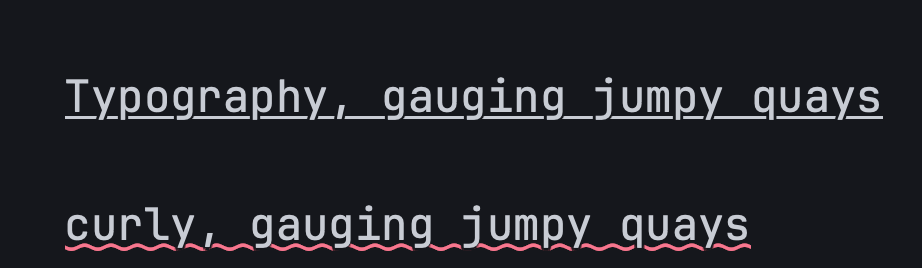
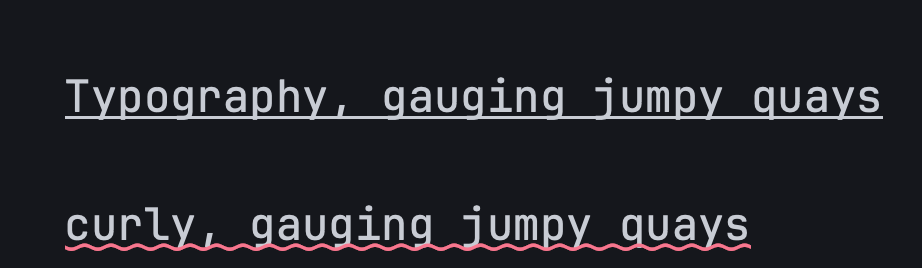
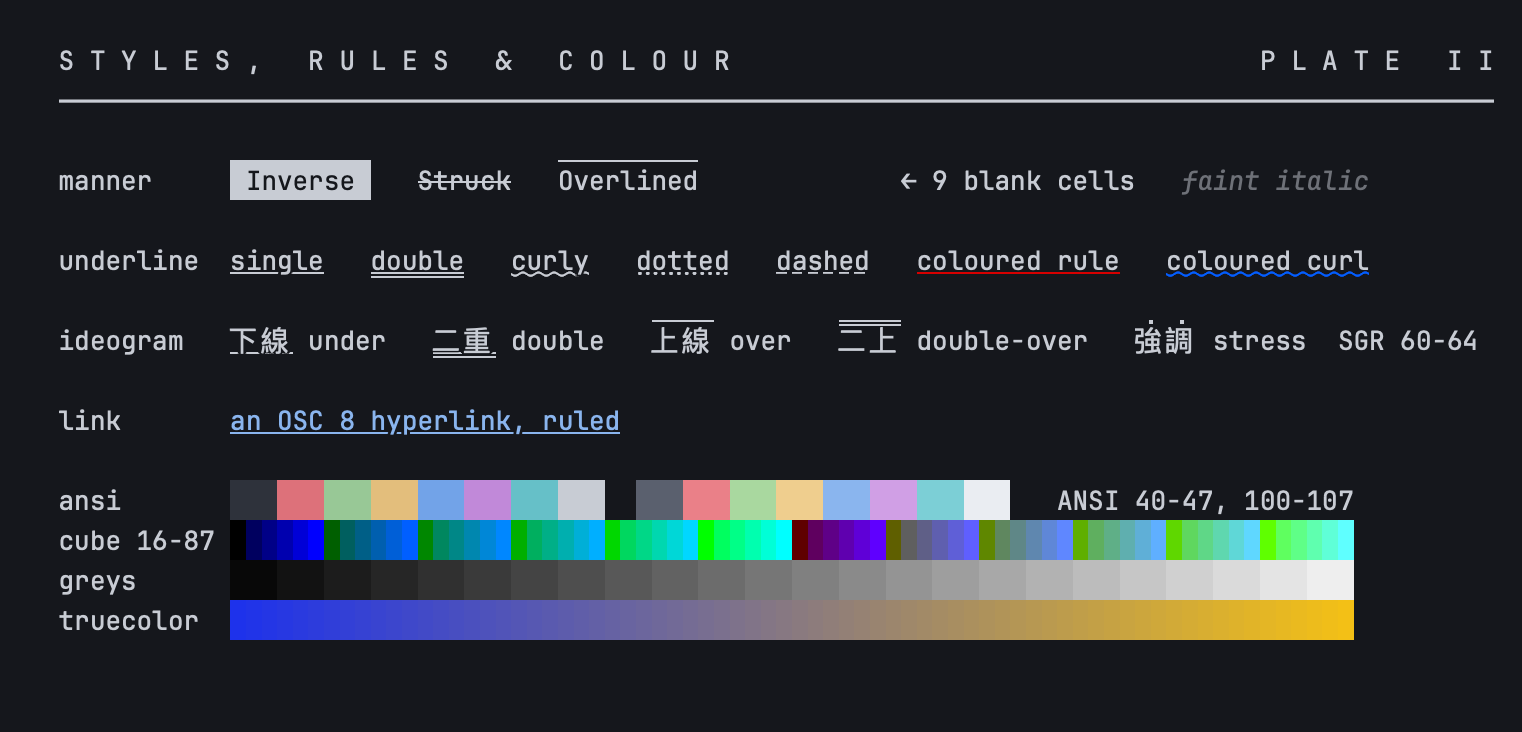
Section titled “Underlines and decorations”Single, double, curly, dotted and dashed underlines, coloured underlines (SGR 58 and 59), overline, framed and encircled text. Skip-ink breaks the underline where a descender crosses it, with an adjustable gap ([underline] skip_ink, skip_ink_pad).
Scripts, emoji and width
Section titled “Scripts, emoji and width”Grapheme clusters follow Unicode’s segmentation rules, so ZWJ sequences, flags, skin tones, variation selectors and stacks of combining marks each stay one character in one or two cells. Colour emoji come from CoreText on Apple platforms and from the bundled Noto Color Emoji on Linux; CSI 76 : n m pins emoji or text presentation for a run. East-Asian ambiguous width is a setting, and legacy encodings (Latin-1, KOI8-R, Shift_JIS, EUC-JP, EUC-KR, GB18030, Big5 and others) are decoded before segmentation.
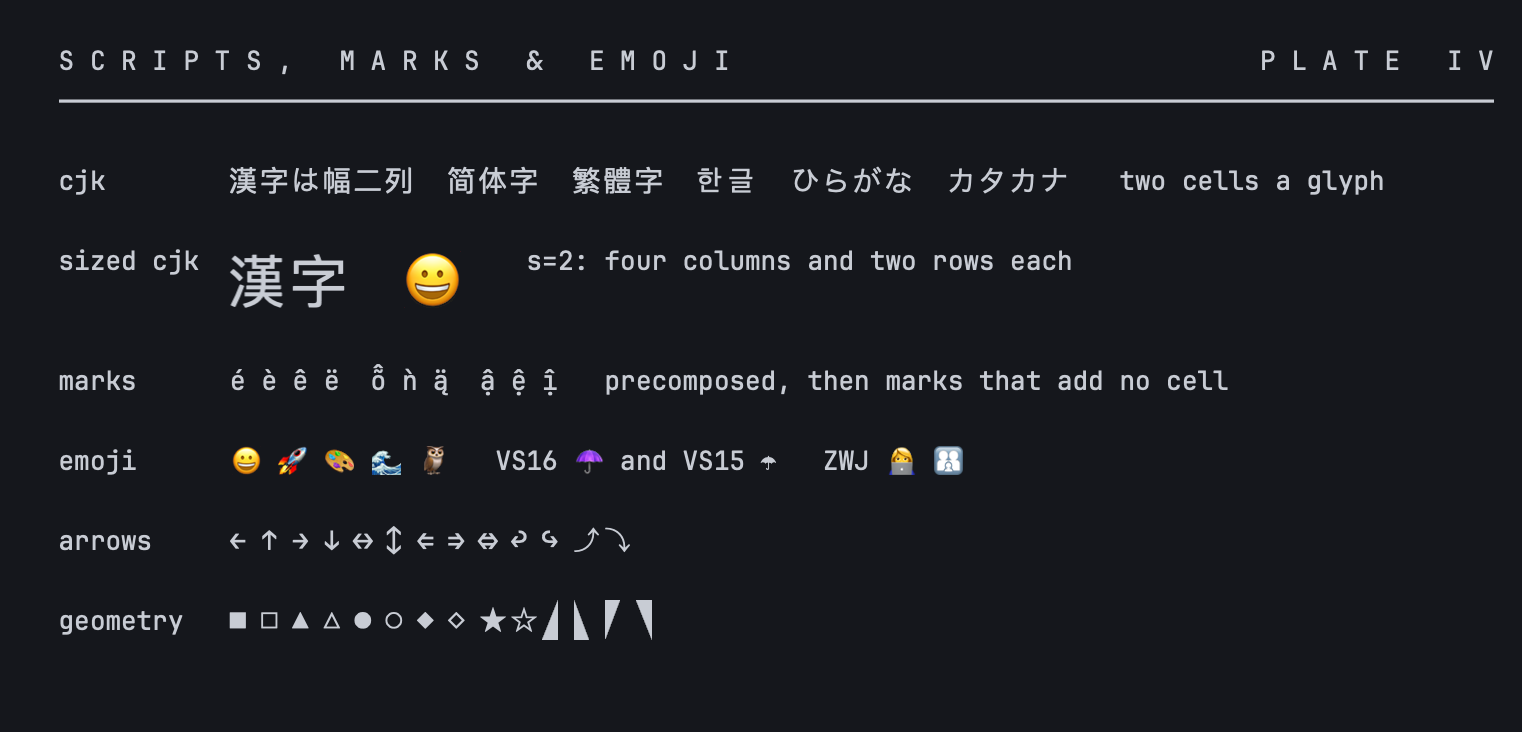
Arabic joining and part of the bidirectional algorithm are implemented, using presentation forms. Contextual alternates and mark positioning are not.
Box drawing and blocks
Section titled “Box drawing and blocks”
CoreText and FreeType
Section titled “CoreText and FreeType”Sized text, ligatures and mathematics on macOS and Linux.
Ubiquitty and this site are copyright © 2026 Stanislav Yaglo. Ubiquitty is licensed under the Apache License 2.0.
Apple, iPad, iPadOS, iPhone, Keychain, Mac, macOS, Metal, Swift and Xcode are trademarks of Apple Inc., registered in the U.S. and other countries and regions.