

Shell integration
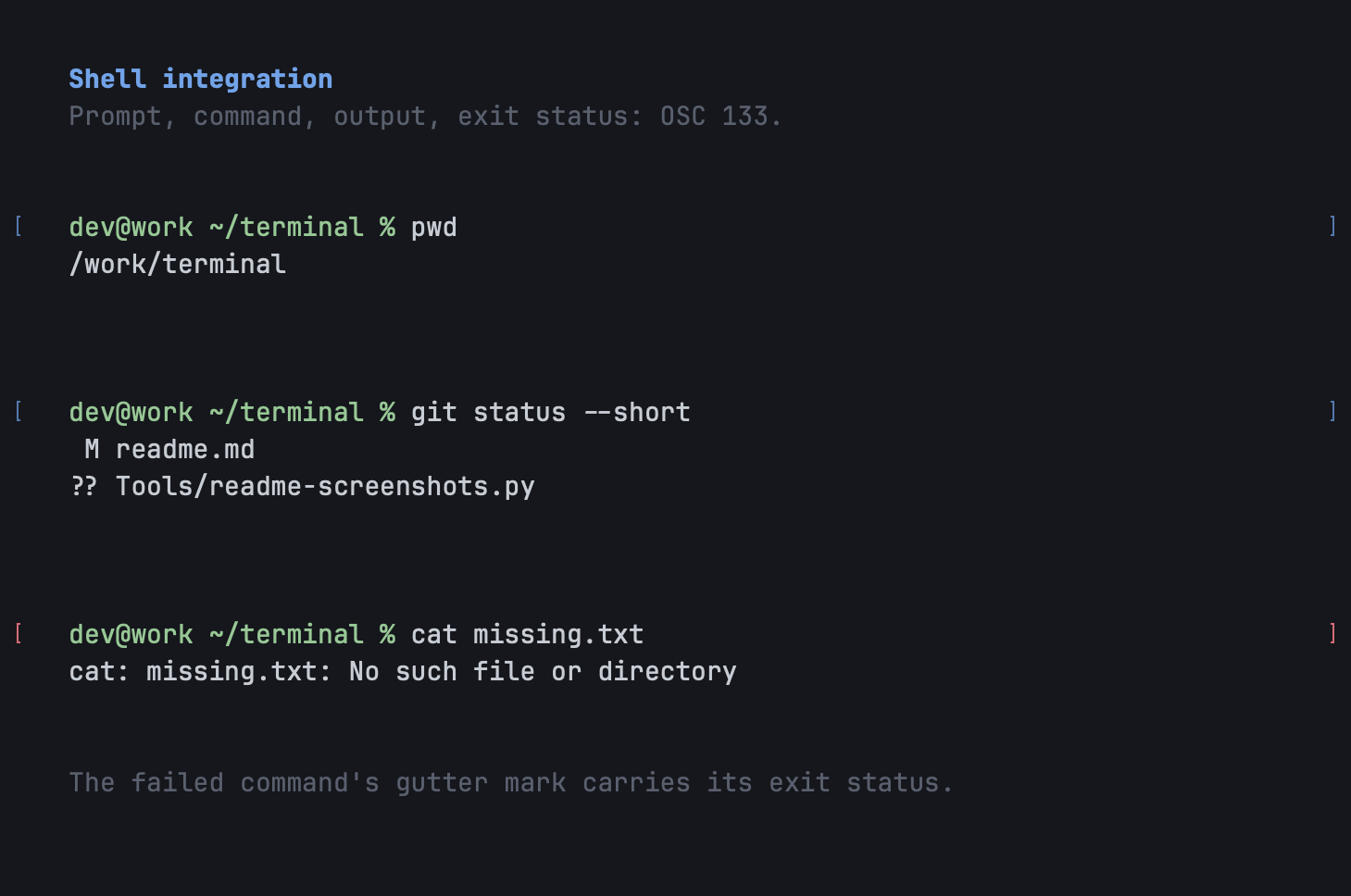
A small script for zsh, bash or fish marks where each prompt, command and output begins, the command’s exit status, the working directory and the host. With those marks the terminal knows what a command is.
What it enables
Section titled “What it enables”- Jump between prompts with ⌘⇧↑ and ⌘⇧↓.
- Select the last command’s output with ⌘⇧A; right-click a command for Copy Command and Copy Command Output.
- Clear to the previous mark with ⌘L: removes the last command and its output and moves the prompt up; press again for the one before.
- Brackets in the gutter at each command, red when it exited non-zero.
- The real host and directory, reported by the shell, even through a chain of
sshhops. Window tags and titles use it. - Command blocks in Beam: type
@to jump to one. ubq runreturns a command’s exit status and exactly its output.
Without the script everything else still works; these commands fall back or are unavailable.
What the script sends
Section titled “What the script sends”| Sequence | Meaning |
|---|---|
OSC 133 ; A |
prompt start |
OSC 133 ; B |
command input start |
OSC 133 ; C |
command output start |
OSC 133 ; D ; <exit> |
command finished, with its exit status |
OSC 7 ; file://<host>/<path> |
working directory and host |
OSC 1337 ; RemoteHost=<user>@<host> |
the host again, in a second widely read form |
These are established conventions, not Ubiquitty inventions, so the script also works in other terminals that read them, and a shell already configured for another terminal works here. Installing it: Shell integration.
From programs
Section titled “From programs”- Progress (
OSC 9 ; 4): determinate, indeterminate, paused and error states show on the tab. - Notifications (
OSC 9,OSC 99,OSC 777): post a system notification, badge the Dock and mark the tab. - Status (
OSC 7501): a program or agent says it is idle, working, done, blocked or in error; see Agents and ubq. - Links (
OSC 8): hyperlinks open with ⌘-click on macOS, limited to http, https, file, mailto, ftp, ftps, ssh and sftp. Links the terminal detects by pattern need ⌘-click.
Around the prompt
Section titled “Around the prompt”The macOS app also has regex search over scrollback with a match count (⌘F), styled copy that carries colours into rich-text editors, separate clipboard buffers for OSC 52’s selections with a paste panel (⌘⇧V), and an inspector (⌘I) with the live process tree, working directory and last exit status.
Ubiquitty and this site are copyright © 2026 Stanislav Yaglo. Ubiquitty is licensed under the Apache License 2.0.
Apple, iPad, iPadOS, iPhone, Keychain, Mac, macOS, Metal, Swift and Xcode are trademarks of Apple Inc., registered in the U.S. and other countries and regions.